
The Headline Fix
Uploads That Don’t Wait for Submit
The riskiest moment of a self-survey used to be the last one: the customer taps Submit, and only then does every video start its journey to the cloud — on whatever signal their hallway has. Not anymore.
Videos now start compressing and uploading the moment they’re recorded. Anything over 60 MB gets compressed first — one typical walkthrough video went from roughly 175 MB to 11 MB, about 15× smaller — while smaller clips upload as they are. By the time the customer reaches the end of the survey, most of their footage is already safely stored.
Record the kitchen — it’s uploading.
Record the garage — it’s uploading.
Hit Submit — it’s mostly already there.
If something is still uploading at the end, the customer can keep using the survey or leave it running in the background. A dropped connection resumes where it stopped instead of starting over. And if compression ever fails, the original video uploads instead — nothing is ever lost.
After the Survey
Submitted Means Submitted
Reopening an already-submitted survey link used to flash the survey start page before catching up — a small thing, but enough to make a customer wonder if their survey went through. Submitted links now open directly to the Thank You screen, with the customer’s details displayed clearly and the survey totals in a cleaner format. Refresh it, reopen it next week — the confirmation and the submitted summary are still right there.
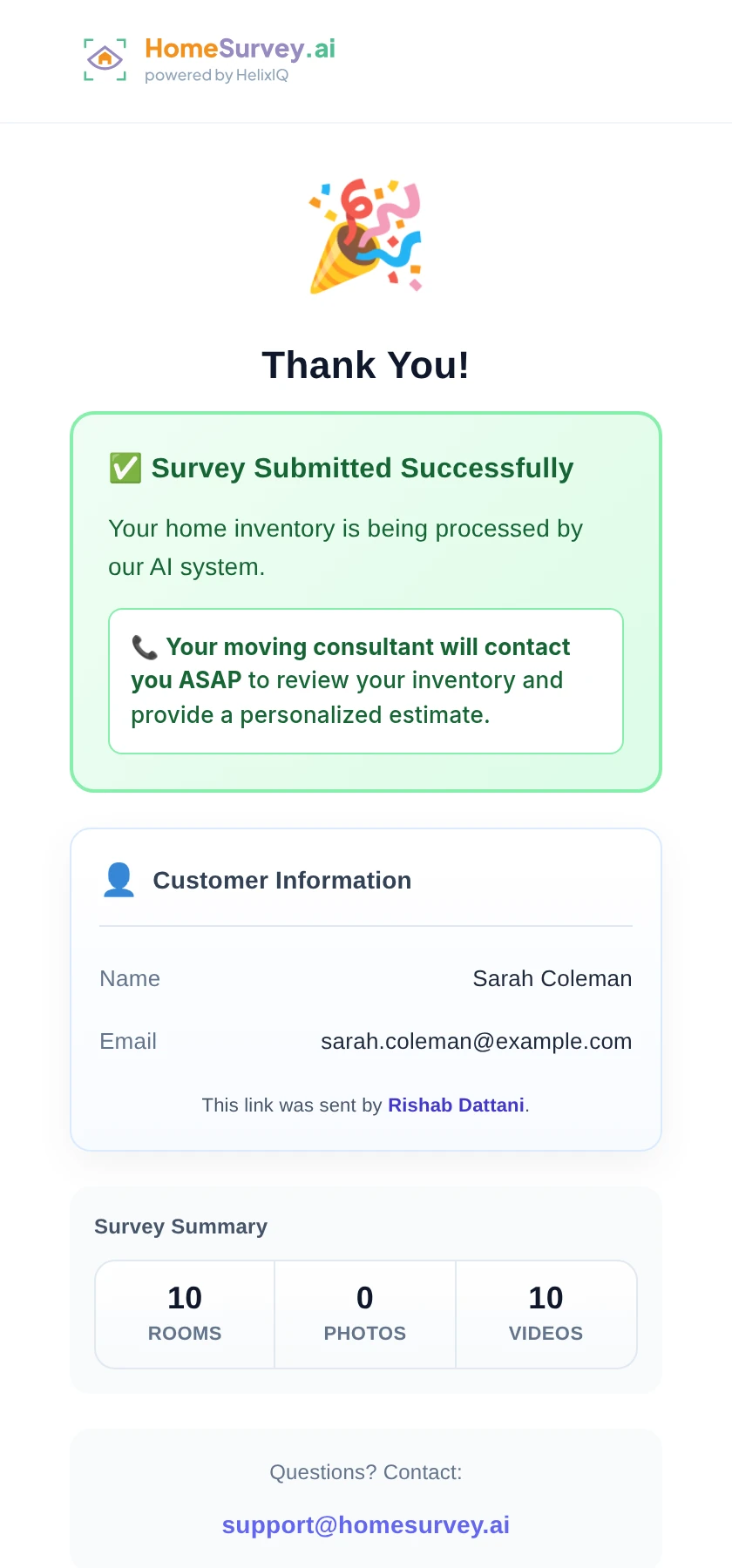
What a submitted link opens to now: confirmation, customer details, and the survey summary — every time.
Also in This Release
Crating in the PDF, Conversion on the Dashboard
Crating Gets Its Own Section
Crated items now appear in a dedicated section of the survey PDF — the custom-crate work is called out instead of buried in the item list.
Survey Conversion Card
A new dashboard card shows how many customers completed their survey out of everyone who received a link.
Send 50 links, get 20 completed surveys back, and the card reads 40% — your survey funnel at a glance, right on the dashboard home.

The dashboard home now: links sent, AI-generated surveys, and the new conversion rate side by side.
Fewer stalled uploads. Fewer “did it go through?” calls.
Send your next survey link and watch the footage arrive before the customer is done walking. Your first 10 surveys are on us.
Start Your Free Trial