What It Does
The Customer Context the AI Needs — Asked Up Front
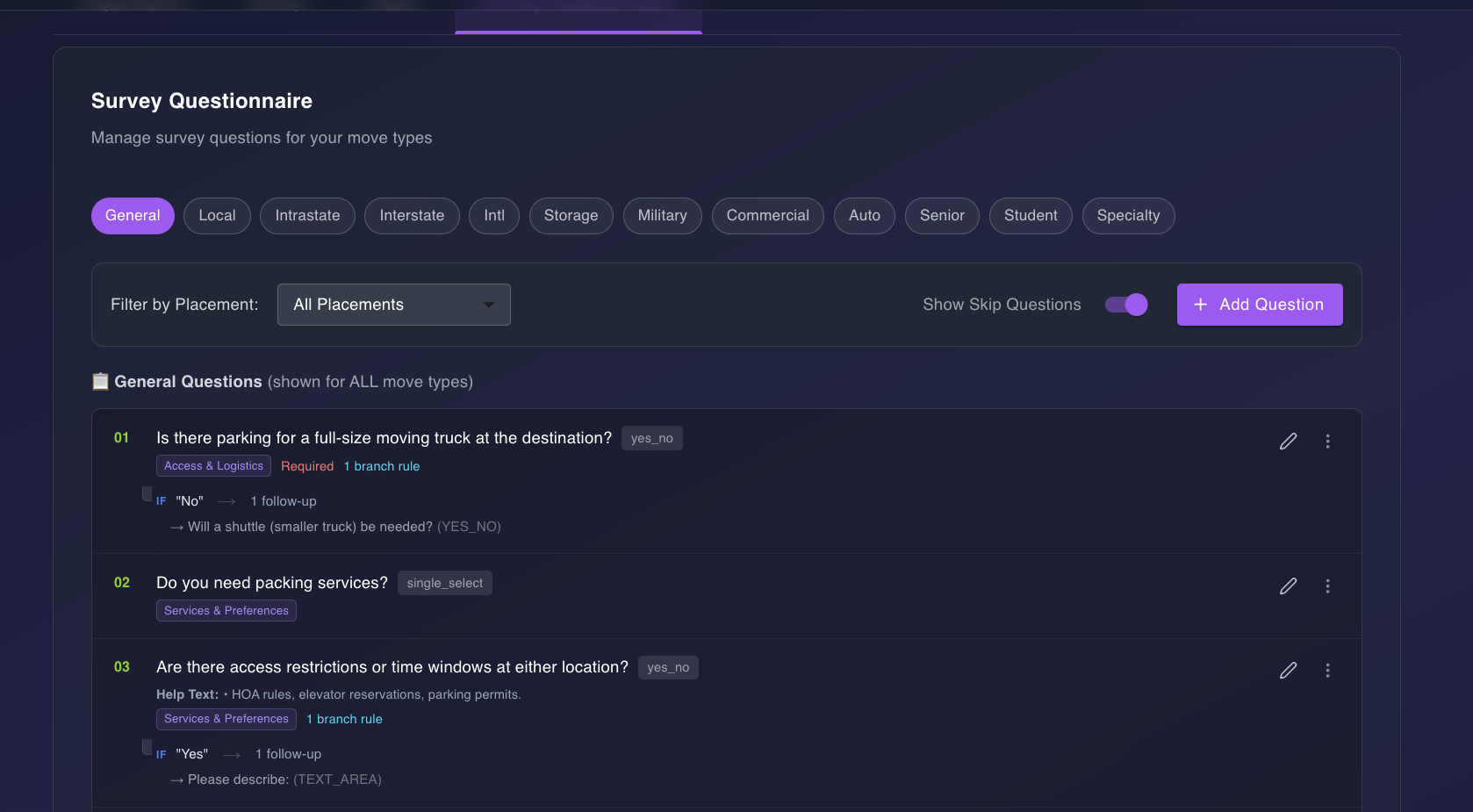
Custom Questionnaire lets your team configure pre-survey questions customers answer before, during, or after their video walkthrough. Every question can be scoped by move type, support conditional follow-ups, and route automatically to the right moment in the customer’s flow.
Answers don’t sit in a form — they flow into the AI pipeline as hints, get cross-validated against what the AI detects on video, and surface in your rep’s review dashboard with mismatch flags. Pianos, safes, narrow stairs, parking restrictions, and military pro-gear are captured before a single frame of video is analyzed.
Why It Matters
Fewer Surprises. Better Detections. Tighter Quotes.
- ✓ Special items flagged before the AI runs. When a customer tells you upfront about a piano, safe, firearm, or high-value antique, the AI pays closer attention during video analysis — detection accuracy climbs because the model knows what to look for.
- ★ Access details captured before move day. Origin floor, stair counts, elevator availability, long carry, and parking constraints get logged upfront. Your move estimate reflects real-world conditions instead of best-case assumptions.
- ⚠ Discrepancies caught before the quote ships. The cross-validator compares each customer claim against AI video detections and assigns a severity (confirmed, info, review, or mismatch). Your rep reviews flagged items before pricing goes out the door.
- ⚙ Move-type tailored, one configuration. Twelve move types each get their own question set — military pro-gear, international customs, commercial floor IDs, senior services, storage transitions. Configure once, route automatically.
How It Works
From Configured Question to Cross-Validated Answer
Admin Configures Questions in the Portal
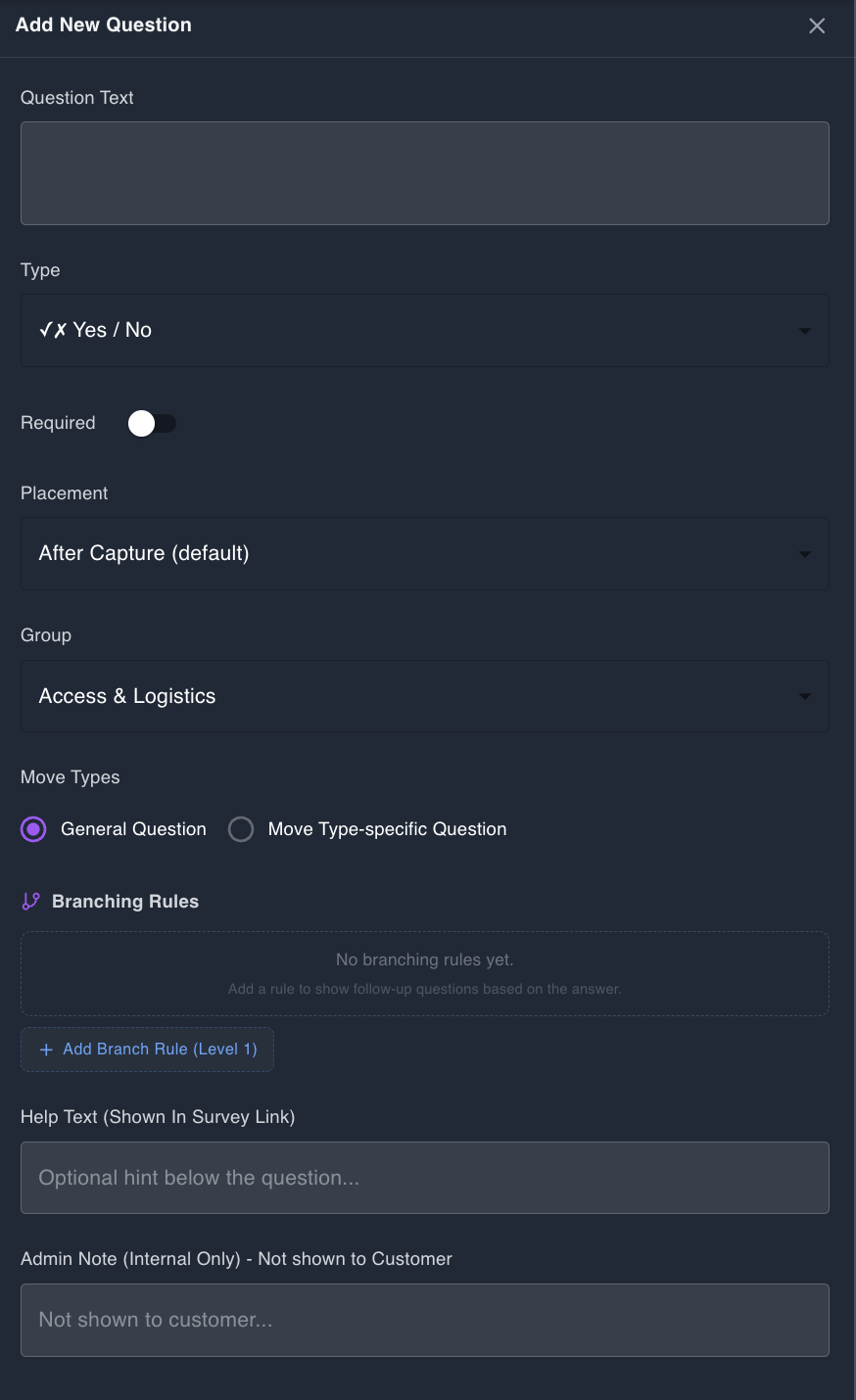
Pick the move type, choose where the question appears (pre-capture, per-room, after-capture, or post-survey), select a field type (yes/no, single select, multi select, text, number, date, time range, photo upload, state/province, country), and set any branching rules. Up to three nesting levels supported for follow-up chains like “Do you have stairs?” → “How many flights?” → “Are they interior or exterior?”
Customer Answers When They Open the Link
Questions surface based on the placement you configured. Pre-capture questions appear before the video walkthrough begins. Per-room questions surface only in the relevant room. Post-survey questions catch anything that needs context after capture is done. Partial answers are stored if the customer closes the questionnaire midway — nothing gets lost.
Answers Become Pipeline Hints for the AI
Responses are flattened into structured hints (has_piano, origin_floor, pro_gear_flag, requires_shuttle, etc.) and passed to the AI alongside the video. The model uses these hints to bias detection — it actively looks for items the customer mentioned and pays closer attention to rooms flagged as containing special items.
Cross-Validator Compares Answers vs. Video
After inventory generation, every customer answer is compared against what the AI actually detected. Matches get a confirmed badge. New detections the customer didn’t mention get an info badge. Items the customer claimed but the AI didn’t find get a review badge. Direct contradictions get a mismatch flag for rep follow-up.
Rep Sees Everything in the Dashboard
All responses appear in a collapsible panel grouped by category — Access & Logistics, Special Items, Services & Preferences. Cross-validation flags appear inline next to the matching inventory rows so reps can resolve gaps without context-switching.
Key Capabilities
What’s Included
12 Move Types
Local, Intrastate, Interstate, International, Storage, Military, Commercial, Auto Transport, Senior, Student, Specialty, and General — each with its own question set.
10 Field Types
Yes/No, Single Select, Multi Select, Text, Number, Date, Time Range, Photo Upload, State/Province, and Country. Cover any input a customer might need to provide.
Branching Logic
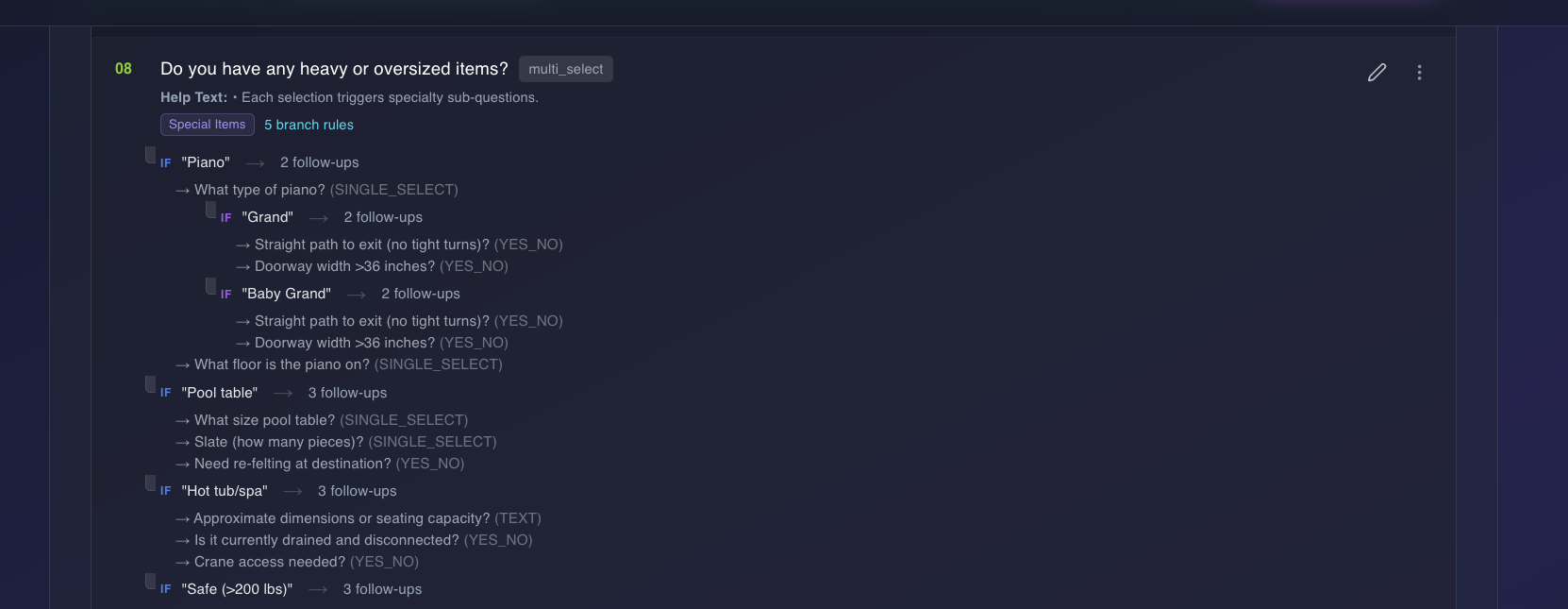
Follow-up questions triggered by parent answers. Up to three nesting levels deep so you can drill into stair counts, floor numbers, or item-specific details only when relevant.
4 Placement Options
Pre-capture, after-capture, per-room (filtered by room type), and post-survey. Ask the right question at the right moment in the customer’s flow.
Cross-Validation
Customer answers are compared against AI video detections. Four severity levels — confirmed, info, review, mismatch — surface inline in the dashboard.
Military Pro-Gear
Dedicated PBP&E section (questions PG1–PG23) with weight tracking against the 2,000 lb member / 500 lb spouse allowances. Built for JTR compliance out of the box.
Branching, three levels deep
One multi-select question can fan out into specialty sub-questions per option — and each of those can fan out again. A real example from the “Do you have any heavy or oversized items?” question:
Ask the right question. Get the right answer.
Configure pre-survey questions tailored to your move types — and let cross-validation surface gaps before the quote goes out.
Start Your Free Trial