
What It Does
Natural Speech Becomes Inventory Actions
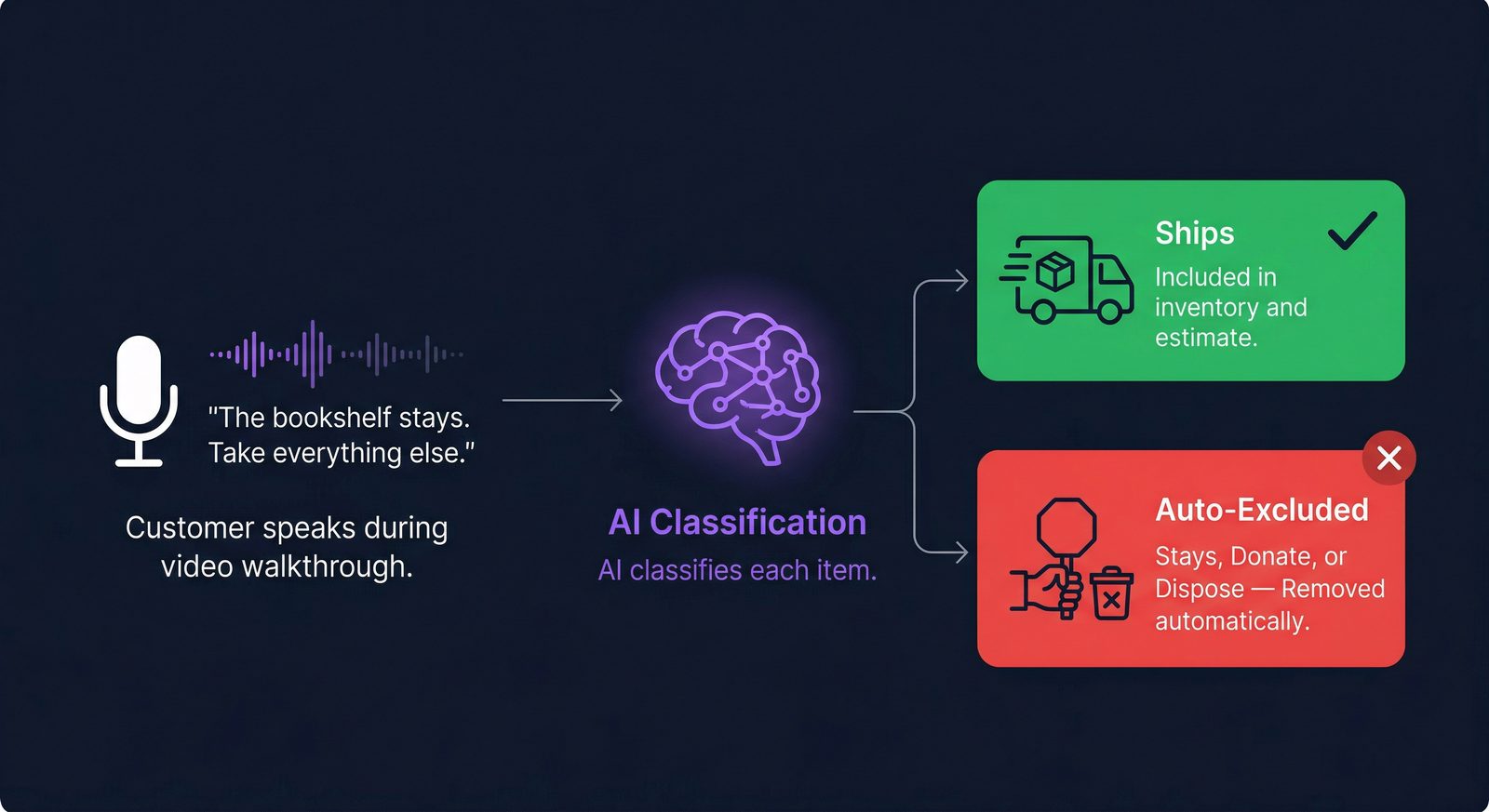
During the video walkthrough, customers talk naturally about their belongings. “This bookshelf isn’t moving.” “Everything in the garage stays.” “Get rid of that old dresser.” The AI processes the video audio, transcribes what the customer said, matches each statement to specific inventory items, and classifies the intent.
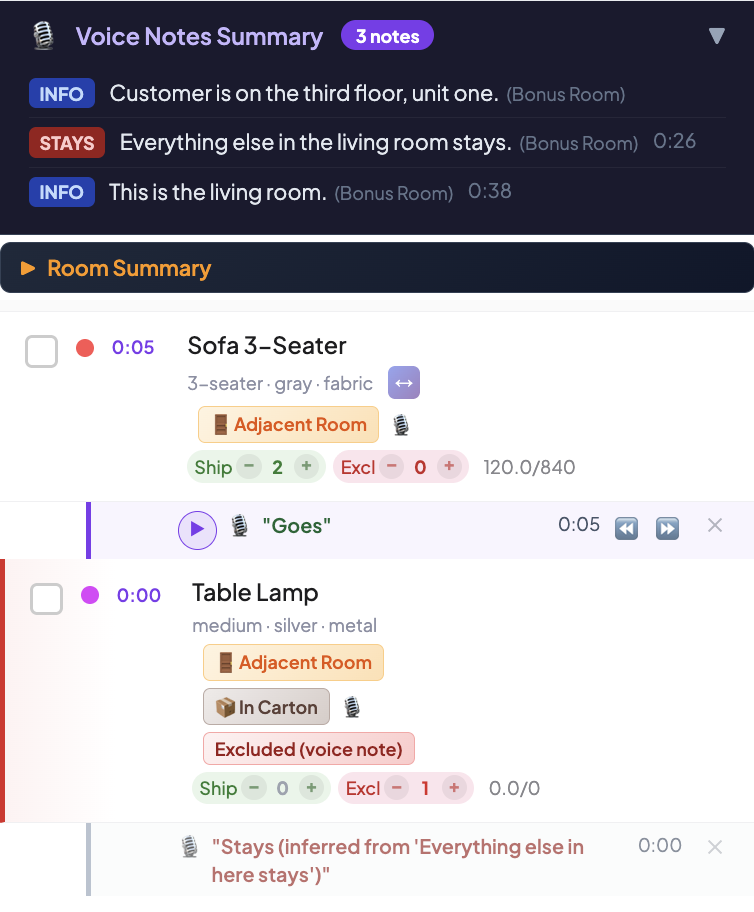
Items classified as STAYS or DISPOSE are automatically excluded from the shipping inventory — quantity set to zero, excluded count updated, and a voice-note badge applied. Your rep sees only items that are actually moving, with every exclusion clearly traced back to the customer’s own words.
Why It Matters
Less Manual Review, Fewer Move-Day Surprises
- ✓ Reps skip items the customer already excluded. In a recent 45-room survey, 193 items (1,418 cu ft) were auto-excluded based on voice notes alone. That’s inventory your rep never has to manually uncheck.
- ★ “Everything else stays” works. When a customer makes a blanket statement, the AI infers which items stay based on what was explicitly marked as going. Inferred stays are visually distinguished from explicit ones, so your rep can verify at a glance.
- ⚠ Move-day variance drops. Items the customer said aren’t moving are excluded from the move estimate. On move day, the crew audit compares the original voice-note exclusions against what’s actually in the home — catching last-minute changes before the truck leaves.
- ⚙ Every exclusion is auditable. Each auto-excluded item links back to the customer’s exact words, with a timestamp into the video. If there’s a dispute, you can play back the moment the customer said it.
How It Works
From Spoken Words to Excluded Items
Customer Speaks During the Walkthrough
No special recording needed. The customer simply talks while recording their room videos. “This couch goes.” “The piano stays.” “We’re getting rid of that old desk.” The audio is captured directly from the video file.
AI Transcribes and Classifies
The video is sent to the AI with the full inventory item list. The AI matches each spoken statement to specific items using alias-aware matching (e.g., “love seat” maps to Sofa 2-Seater) and classifies it into one of eight note types: GOES, STAYS, DISPOSE, GOES_TO_STORAGE, GOES_TO_DESTINATION, INSTRUCTION, or INFO.
STAYS and DISPOSE Items Auto-Excluded
Any item matched to a STAYS or DISPOSE note is automatically excluded: qty_ship set to 0, qty_excl set to the full quantity. If an item has both a GOES and STAYS note (conflicting instructions), GOES wins — the item ships. This prevents accidental exclusions.
Rep Reviews with Full Transparency
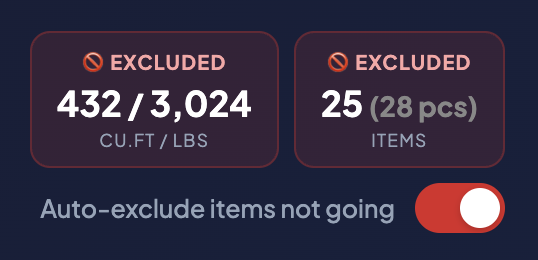
The dashboard shows every voice note match with a color-coded badge: green for GOES, red for STAYS/DISPOSE, orange for INSTRUCTION, and gray for INFO. Inferred stays (from blanket statements) have a dashed border so reps can distinguish explicit vs. inferred exclusions. A toggle lets reps turn off auto-exclude entirely if they prefer manual control.
Move-Day Audit Compares Against Actuals
On move day, the crew lead opens the dashboard on-site. The audit comparison shows which items were excluded in the estimate vs. what’s actually present — flagging anything the customer changed their mind about, with the price impact.
Key Capabilities
What’s Included
8 Note Types
GOES, STAYS, DISPOSE, GOES_TO_STORAGE, GOES_TO_DESTINATION, INSTRUCTION, INFO, and blanket category statements (“All appliances stay”).
Confidence Scoring
Each matched note carries a confidence score (0 to 1.0). Low-confidence matches are highlighted for manual review so reps verify the ambiguous ones.
Silence Detection
If the video audio is silent or contains only ambient noise, voice note processing is skipped entirely to prevent hallucinated matches.
Alias-Aware Matching
Customer synonyms are handled automatically. “Love seat” matches Sofa 2-Seater. “Fridge” matches Refrigerator. Hundreds of aliases built in.
Blanket Statements
“Everything else stays” or “Only the beds go” are interpreted as category-level exclusions. Inferred items are visually distinguished from explicit ones.
Override & Toggle
Reps can toggle auto-exclude on/off globally or override individual items. The dashboard distinguishes auto-excluded (voice note) from manually excluded items.
Let the customer do the excluding
Stop manually unchecking items your customer already said aren’t moving. Voice Notes with Auto Exclude does it for you.
Start Your Free Trial